Error Text
Step 1: Enter Your
Agency's Location ID
This is the location you'll be using to offer TurboSites
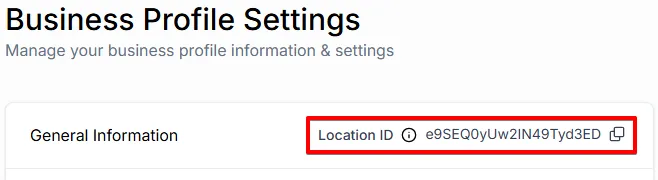
How to Get Your Location ID:
Switch to your target Location.
Click Settings, then Business Profile
Copy the Location ID from the upper right corner of the General Information Tab.
Step 1: Click Below to Install the
TurboSite App
You must be logged in to app.leadconnector.com, not just your white label domain.
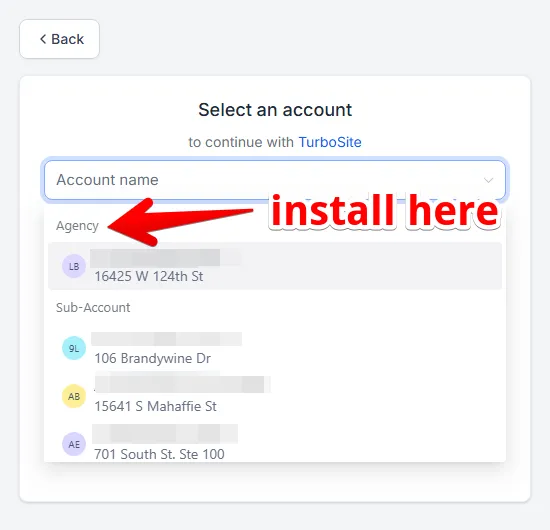
Click the install button. You'll be taken to a location selector.
Click to install in your Agency.
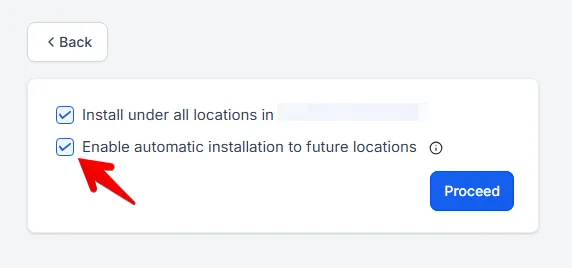
Check Install on All Future Locations.
Step 2: App Added
Fetching Tokens
Hold on just a second...
Step 3: There is no step 3!

You did it!
Your TurboSite App is installed and ready to rock.